
FormDocs™ Electronic Forms Software Overview
FormDocs™ is a complete solution for easily creating, filling-in, and managing the forms you use in your business or organization every day. Most importantly, FormDocs™ depicts your old paper forms as pixel-perfect digital documents, not just plain web forms or database entry screens. That means your invoices, purchase orders, work orders, proposals, case reports, etc. will look and print exactly like your familiar paper versions of those forms.
FormDocs Provides Two Applications
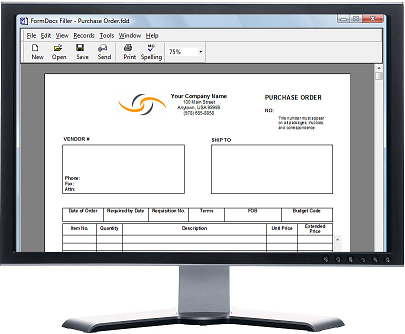
FormDocs provides two applications; FormDocs Designer and FormDocs Filler. Included are dozens of ready-to-use sample form templates, such as invoices, purchase orders, contractor proposals, incident reports, work orders, and many other types of business, engineering and healthcare forms that you can immediately fill-in, customize, or use as starting points for creating your own forms.
FormDocs Designer
You use FormDocs Designer to create a form template. A form template contains all the fields, text, and elements that make up a fill-able digital form. You create form templates by scanning and converting paper forms, or by converting forms you already have in other formats, such as Microsoft® Word and Adobe® PDF, or you can design and draw custom forms with FormDocs’ easy-to-use form-drawing tools.
)
Click to enlarge
FormDocs Filler
You use FormDocs Filler to fill-in and work with your forms. A FormDocs digital form can be edited, saved, signed, printed, shared, or e-mailed just like any other type of digital document.
)
Click to enlarge
Keep track of all your forms
FormDocs provides a simple-to-use, zero-administration Forms Database that can store your filled-in forms as a series of records, organizing them for quick and easy access so that you can list, search and sort them. A FormDocs Forms Database can contain over a million filled-in forms. Never lose track of your forms again!
)
You can run FormDocs on a single computer or on multiple networked computers.
)